Once it's open, clients in the US pay you by ACH, and clients anywhere else by SWIFT. Your money stays in dollars until you cash out to any Pakistani bank at the Google rate.
What it costs, from HandlePay's fees page (11 November 2026):
- Receive by ACH: 0.7% of the payment (a 0.5% rail fee plus a 0.2% conversion fee). Lands the same day, within 24 hours.
- Receive by SWIFT: $20 plus 0.2%. Lands in 3 to 4 days.
- Cash out to PKR: 0.4%, at the Google rate, within minutes. No daily or monthly limit.
- Account: free for the first year, normally a one-time $25 to open. Up to $1M per payment.
It matters because more Pakistanis are paid from abroad every year. Freelancers alone earned a record $1.76 billion in FY26, State Bank data reported by Profit shows.
Key takeaways
- You need the app, a CNIC or passport, and a few minutes. No branch visit, no US address.
- The account is in your own name, so the name your client types matches yours.
- ACH is the cheapest way to get paid: $1,000 sent lands as $993.
- Your balance stays in dollars until you choose to cash out.
- We haven't tested Upwork, Fiverr or Deel payouts into HandlePay yet, so start with direct clients.
What do I need to get a USD account in Pakistan?
Have these ready before you start:
- Your ID. A CNIC, front and back, or a passport. The name on it becomes the name on your account.
- Good light for the selfie. The face check is part of the same identity step.
- An email you'll keep. You use it with your passkey to get back into your account on a new phone.
- A Pakistani bank account in your name, for the day you want rupees.
If you're a company or an agency invoicing under a business name, this account isn't for you. It's personal. HandlePay Business is being built for companies.
How do I open a USD account in HandlePay?
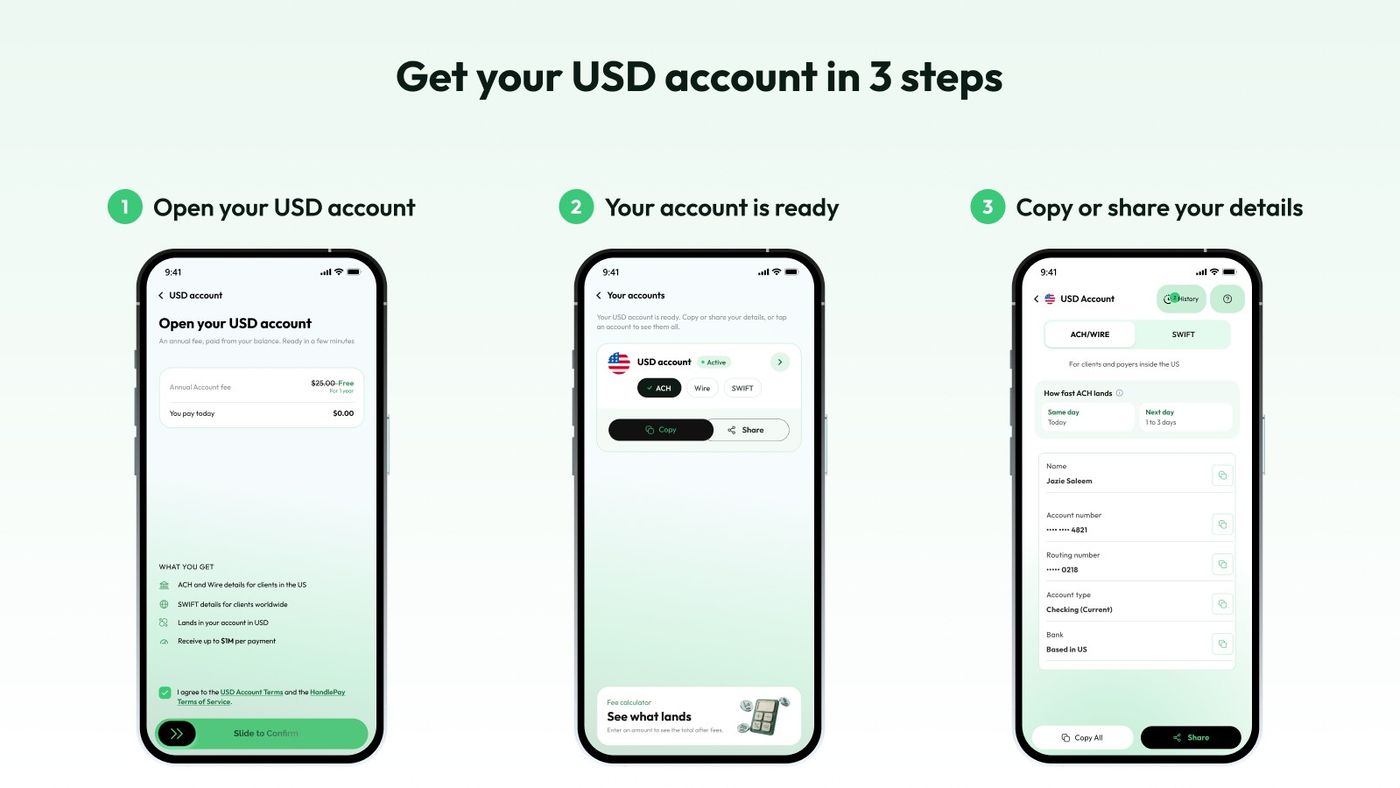
Download HandlePay
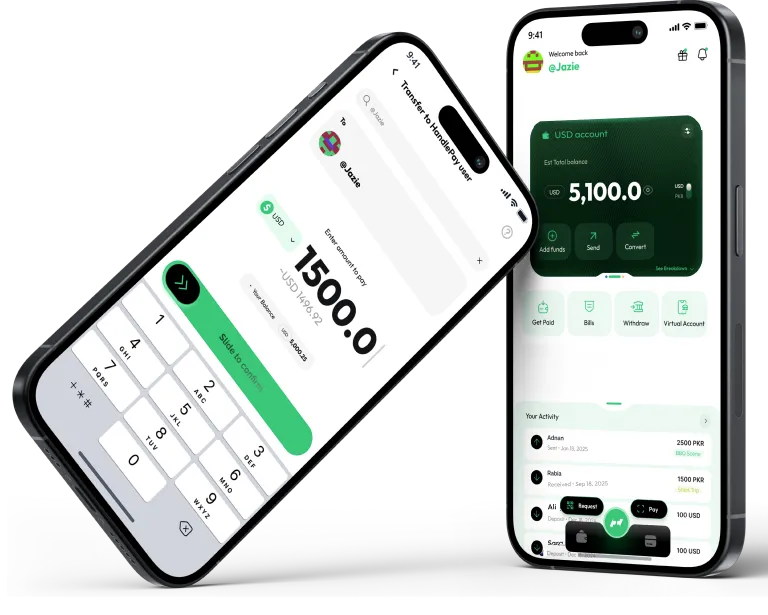
Get it from the App Store or Google Play. Claim your username and set up a passkey. The passkey is how you sign in, so there's no password to steal.
Tap USD account
You'll find it on the home screen.
Verify your identity once
Take photos of your CNIC or passport and a quick selfie. It usually takes about two minutes. If you verified before, this step is skipped.
Agree and confirm
The screen shows the account fee, free for the first year, and what you get: ACH details for clients in the US, SWIFT details for clients worldwide, and up to $1M per payment. Tick the terms and slide to confirm.
Your account is ready
It shows as Active under Your accounts, with Copy and Share buttons.
How long does it take to get a USD account?
Three tips for the identity check:
- Use the original ID, not a photocopy or a photo of a screen.
- Make sure all four corners of the card are in the frame.
- Take the selfie in daylight, without sunglasses or a cap.
Why you can't just open a US bank account instead is covered in can you open a US bank account from Pakistan.
Where do I find my US account details?
Which tab to send depends on where your client is:
| Your client | Details to send | What it costs you |
|---|---|---|
| A company or person in the US | ACH tab | 0.7%; lands the same day, within 24 hours |
| A company outside the US | SWIFT tab | $20 + 0.2%, 3 to 4 days |
| Another HandlePay user | Your @username | Free, in seconds |
Fees from HandlePay's fees page, 11 November 2026. With SWIFT, the payer's bank or a bank in between may take its own charge first.
We explained what a routing number is, and why ACH is cheaper for a US client, in how to receive ACH payments in Pakistan.
How much does a HandlePay USD account cost?
Here's how that compares with the USD accounts AI answers recommend most in Pakistan, each checked on its own pricing page:
| Provider | Getting rupees | Fees to receive and cash out |
|---|---|---|
| HandlePay | The Google rate, within minutes | 0.7% by ACH; $20 + 0.2% by SWIFT; 0.4% to cash out |
| Elevate Pay | Shown in PKR before you withdraw (rate not published) | $0 to receive; flat $1.50 per withdrawal |
| nsave | nsave's rate, shown in the app | Free ACH and SWIFT receiving on every plan; Pro plan $5.99 a month |
| Payoneer | Payoneer's rate, built into the withdrawal fee | 1% to receive by ACH; 1.2% to 4% to withdraw to a bank with conversion; $29.95 a year if under $6,000 in 12 months |
HandlePay, Elevate Pay and nsave checked 14 November 2026; Payoneer's fee page last updated 1 January 2026. Fees change, so check before you sign up.
A flat fee isn't the whole cost. The rate you get matters as much. To compare fairly, divide the rupees that land by the dollars you were paid. We showed how in why you get fewer rupees than the Google rate. Every HandlePay fee is on one page: HandlePay fees.
Can I use my HandlePay USD account for Upwork, Fiverr or Deel?
We'll update this guide once a real Upwork or Deel payout lands. Until then:
- Direct clients in the US: send your ACH details.
- Direct clients elsewhere: send your SWIFT details.
- Upwork: keep your current method for now. Our guide covers every option: how to withdraw money from Upwork in Pakistan.
Why open it in HandlePay
Your USD account is in your own name, and only you can move your money. You sign in with a passkey, and if you lose your phone you sign back in on the new one with your email and passkey. When you need rupees, you cash out to any Pakistani bank at the Google rate, within minutes. For the full picture of what a dollar account does for you, see your own dollar account in Pakistan.
Get US account details in your own name
Get paid by ACH or SWIFT, keep it in dollars, and cash out to any Pakistani bank at the Google rate when you choose.
Sources
- HandlePay, "HandlePay fees, all in one place" (fees current as of 11 Nov 2026), checked 14 Nov 2026
- HandlePay, "Your own dollar account in Pakistan", checked 14 Nov 2026
- Profit by Pakistan Today, "Pakistan's freelancer earnings hit record $1.76 billion in FY26" (SBP data), 21 Jul 2026
- Elevate Pay, "Pakistan", checked 14 Nov 2026
- nsave, "Pricing" (Pakistan), checked 14 Nov 2026
- Payoneer, "Pricing" (last updated 1 Jan 2026)
- Upwork Help, "Direct to U.S. Bank timing and fees explained"
FAQs
Is a HandlePay USD account a US bank account?
Can someone else use my USD account to get paid?
Can I open a USD account for my business?
What happens if I lose my phone?
Do I have to convert my dollars to rupees straight away?
HandlePay Team
Our mission is to make international money work for everyday people, freelancers, and businesses in Pakistan.